ComfyUI Explained: The Workflow Engine for AI Images
ComfyUI Explained: The Workflow Engine for AI Images
January 23, 2026
ComfyUI is an open-source, node-based interface that turns AI image generation from a single prompt box into an actual production pipeline. It’s a visual workflow builder for Stable Diffusion class models where every step, model load, conditioning, sampling, decoding, upscaling, compositing, saving, becomes a reusable node you can connect, remix, and automate. The core repo is here: github.com/comfyanonymous/ComfyUI.
If most diffusion tools feel like a vending machine (insert prompt, receive image), ComfyUI feels more like a studio: you can see the set, move the lights, swap the lens, and save the whole setup as a repeatable system. And that’s why it matters for COEY’s world: ComfyUI isn’t just for making images, it’s a workflow engine for scaling creative output with human intent plus machine execution.
Why ComfyUI keeps winning
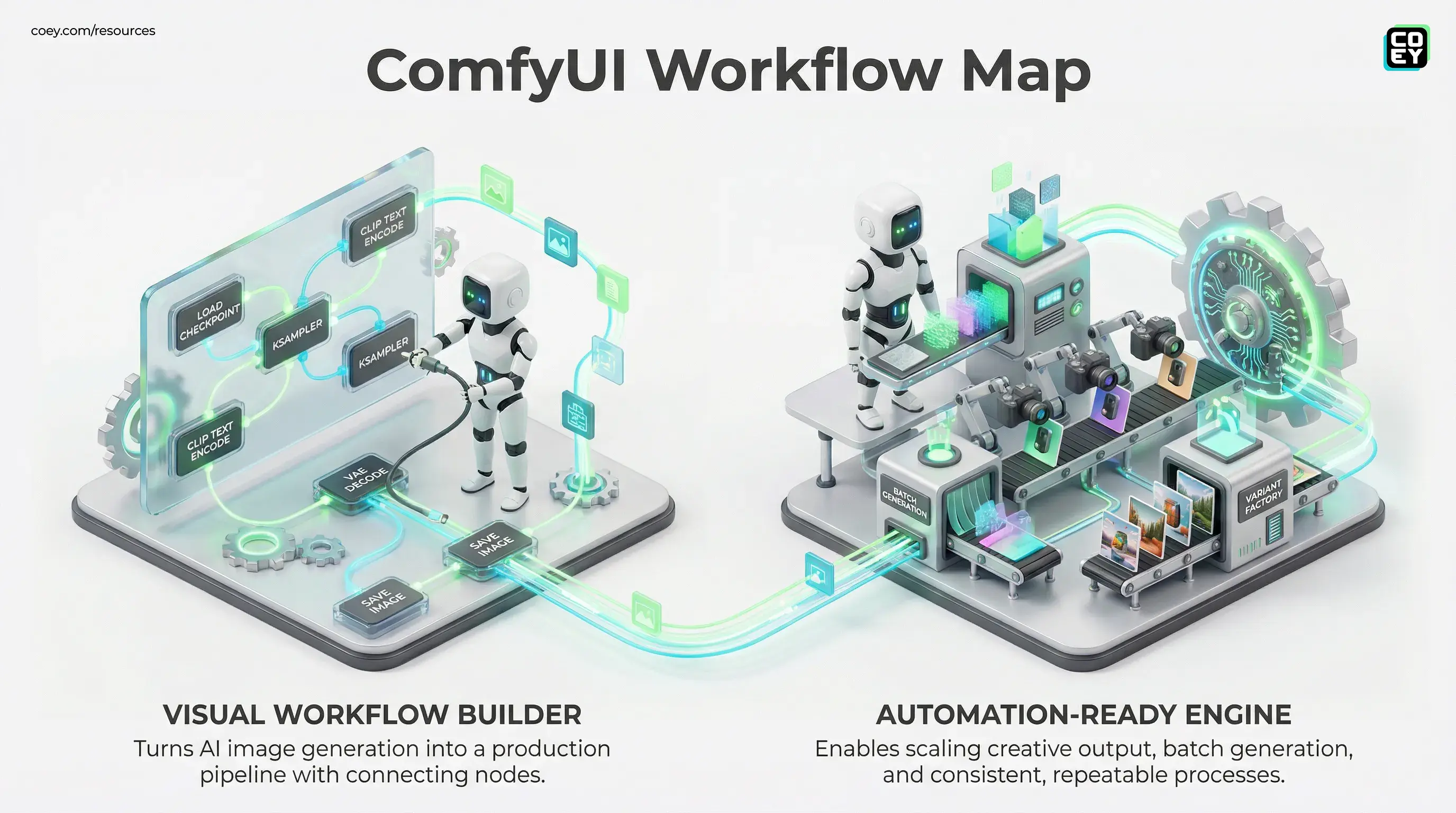
The headline isn’t “node graphs are cool” (they are). The headline is that ComfyUI makes image generation inspectable, modular, and automation-ready. Those three traits are what separate a fun demo from something you can plug into a real content operation.
ComfyUI’s real superpower: you’re not saving prompts, you’re saving processes.
Because a workflow is a graph, you can branch (generate 12 variations), merge (composite outputs), and parameterize (swap product colors, aspect ratios, backgrounds) without rebuilding your setup every time. It’s the difference between “making an image” and “running an image factory with quality control.”
What you’re actually looking at
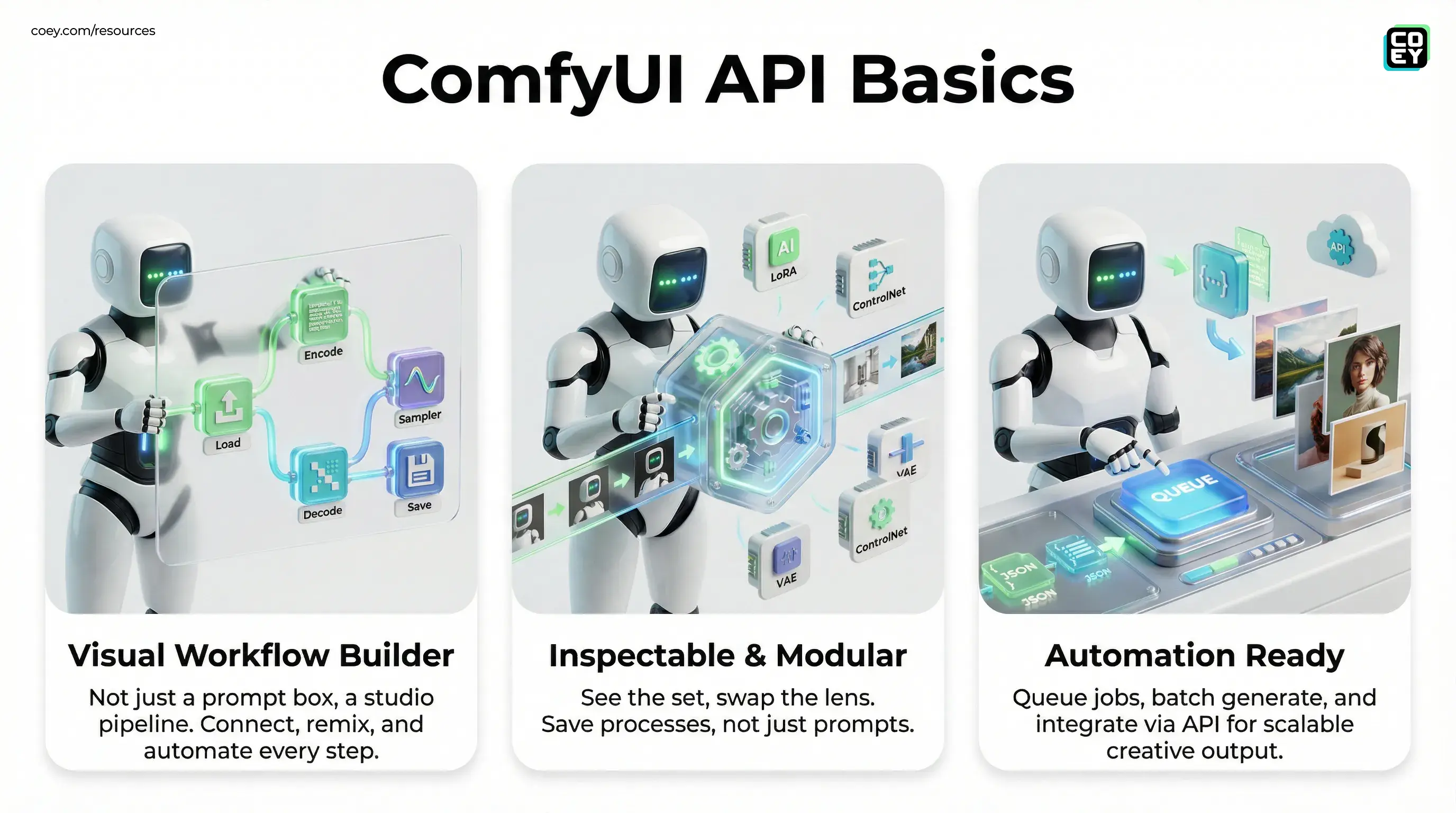
ComfyUI runs in your browser but is powered by a local (or remote) server. When you open it, you get a canvas with draggable nodes and connectable inputs and outputs. Each node represents a discrete operation, think “Load Checkpoint,” “CLIP Text Encode,” “KSampler,” “VAE Decode,” “Save Image.” Connect them and you’ve built a pipeline.
Conceptually, ComfyUI is a visual representation of what advanced users used to script by hand: a directed graph where intermediate data (latents, conditioning, images) moves step by step through the system. That intermediate visibility is why ComfyUI is so beloved by power users, and why it’s unexpectedly useful for teams who care about repeatability.
Where to get it (and what’s official)
ComfyUI is widely mirrored, repackaged, and “helpfully bundled” across the internet. If you want canonical sources, stick to these:
- Core project (source plus docs in README): github.com/comfyanonymous/ComfyUI
- GitHub releases (updates and changelogs): github.com/comfyanonymous/ComfyUI/releases
- Official site (broader ecosystem and entry points): comfy.org
Quick reality check: ComfyUI itself doesn’t ship with copyrighted model weights. It’s the engine and the interface. You bring the models, LoRAs, VAEs, ControlNets, and custom nodes. That’s not a drawback, it’s a deliberate design choice that keeps the platform flexible (and legally cleaner).
How it runs in the real world
Most teams end up using ComfyUI in one of three ways: local workstation, shared server, or cloud GPU box. The choice isn’t about “can it run?”, it’s about throughput, cost, and how many people need access.
| Setup | Best for | Operational reality |
|---|---|---|
| Local machine | Solo creators, designers, prototyping | Fast feedback, limited sharing, depends on your GPU |
| Shared server | Teams, studios, internal tooling | Centralized models and workflows; needs access control and GPU scheduling |
| Cloud GPU | Bursty volume, campaigns, batch rendering | Scales on demand; costs can spike if you don’t manage queues |
On Windows, many people start with the Windows portable build because it’s the least “Python dependency wrestling” (it typically includes its own embedded Python and launcher .bat files). On Linux, it’s commonly deployed like a service. Either way, when it’s running you’ll typically access it at http://127.0.0.1:8188 (local) or a server IP if hosted remotely, since 8188 is the default port unless you change it.
How ComfyUI actually works
Under the hood, ComfyUI is both:
- A UI for building graphs (your workflow on the canvas)
- An execution engine (a backend that runs the graph efficiently, with a focus on VRAM-aware execution)
Each run follows a predictable chain: load resources, encode prompts, generate latents, decode into pixels, post-process, save outputs. The node graph is essentially a declarative recipe for that chain. That’s why it’s shareable and repeatable: you’re not describing what you did, you’re shipping the actual structure.
For non-technical teams, here’s the practical translation: ComfyUI is a way to turn creative direction into a standard operating procedure. Once your brand look pipeline exists (model plus LoRA plus ControlNet plus upscale plus grain plus export settings), you can reuse it across campaigns without reinventing the wheel every Monday.
API availability: yes, and it’s the point
ComfyUI isn’t only a UI, it exposes a backend you can program against. That makes it unusually real compared to tools that keep everything trapped behind a web app.
At a high level, ComfyUI supports:
- Queue-based execution (submit jobs, process them asynchronously)
- Workflow submission over HTTP (send a workflow JSON to run)
- Status and outputs retrieval (fetch history and generated assets)
- WebSocket progress updates (useful for dashboards or internal tools)
The most commonly referenced endpoint in community usage is POST /prompt, which queues a workflow in JSON form and returns a prompt_id you can track. In plain English: you can have your CMS, DAM, Slack bot, or internal creative tool press Queue automatically, without a human opening the interface.
If you can export a workflow, you can operationalize it. That’s ComfyUI’s quiet killer feature.
Automation potential: from “art” to “ops”
Here’s where ComfyUI stops being a vibe and starts being infrastructure. Because workflows are structured graphs, they’re ideal for automation patterns that marketing teams actually need:
- Batch generation at scale: 200 SKU backgrounds, 20 aspect ratios, consistent lighting, queued overnight.
- Variant factories: one creative direction, multiple executions (language swaps, regional styling, seasonal treatments).
- Template-driven production: lock the how, let humans change the what (prompt tokens, reference images, product shots).
- Approval-friendly iteration: predictable steps mean fewer “why does this look different than yesterday?” meetings.
And yes, there’s a spectrum of maturity here. A local artist running ComfyUI manually is still human in the loop. But the moment you host it centrally and submit jobs via API, you’re in machine collaboration territory: humans set intent and constraints, machines grind through the permutations.
GPU reality and readiness
ComfyUI is absolutely production-capable, but it’s not magic, and it’s not one click unless you’ve already invested in templates and governance.
Here’s what’s realistically required for stable, business-grade usage:
- A decent NVIDIA GPU is still the most straightforward path for speed and compatibility. CPU-only works, but it’s a patience simulator.
- Model management becomes a real job once teams scale (versioning checkpoints, LoRAs, and custom nodes).
- Workflow standardization matters if you want consistent output across multiple operators.
- Security and access control matters if you expose a server beyond localhost. Treat it like any internal tool, not a hobby app.
The good news: the ecosystem is mature enough that teams can build reliable pipelines today. The bad news (snark, lovingly): if your plan is “we’ll just install some AI thing and it will print money,” ComfyUI will politely hand you a node graph and ask you to define your process like an adult.
Why marketers should care (even if they hate nodes)
Most marketing orgs don’t need everyone to become a node wizard. What they need is repeatable creative throughput: more variations, faster iteration, consistent style, lower production friction.
ComfyUI is one of the few tools in the generative visual space that naturally supports that shift because it’s:
- Transparent (you can audit what created the output)
- Modular (swap pieces without breaking everything)
- Automatable (queue plus API patterns enable real integration)
If your creative team is already experimenting with diffusion, ComfyUI is the bridge from cool outputs to repeatable systems. For a related look at automation-minded image generation models, see FLUX.2 Drops: Open Image Model Rivals Giants.
Your AI Marketing Agency, Built to Ship
COEY is the AI marketing agency that wires the whole stack together: n8n for orchestration, Claude Cowork for content intelligence, OpenClaw for open-source AI. Explore how we work across every channel, visit our AI Studio, or get in touch.