Adobe Firefly AI Assistant Turns Creative Cloud Into a Workflow Engine
Adobe Firefly AI Assistant Turns Creative Cloud Into a Workflow Engine
April 27, 2026
Adobe’s Firefly AI Assistant public beta is the company’s clearest move yet from “AI features” to something much bigger: a conversational layer that can coordinate creative work across apps. That distinction matters. Plenty of tools can generate a nice image on command. Fewer can take a messy marketing request like “turn this product shot into a week of launch assets” and break it into real production steps. Adobe is betting that the future of creative software is less toolbar, more intent.
For teams living in Creative Cloud, this is potentially a practical upgrade. The Firefly AI Assistant sits inside the Firefly app and lets users describe outcomes in plain language. From there, Adobe says it can assemble multi-step tasks using Firefly and Creative Cloud tools, with support for workflows across apps including Photoshop, Premiere Pro, Lightroom, Illustrator, and Express. Adobe specifically positions it for tasks such as mood boards, social content creation, product mockups, and other multi-step creative workflows rather than as a free-form automation layer for every possible Adobe action.
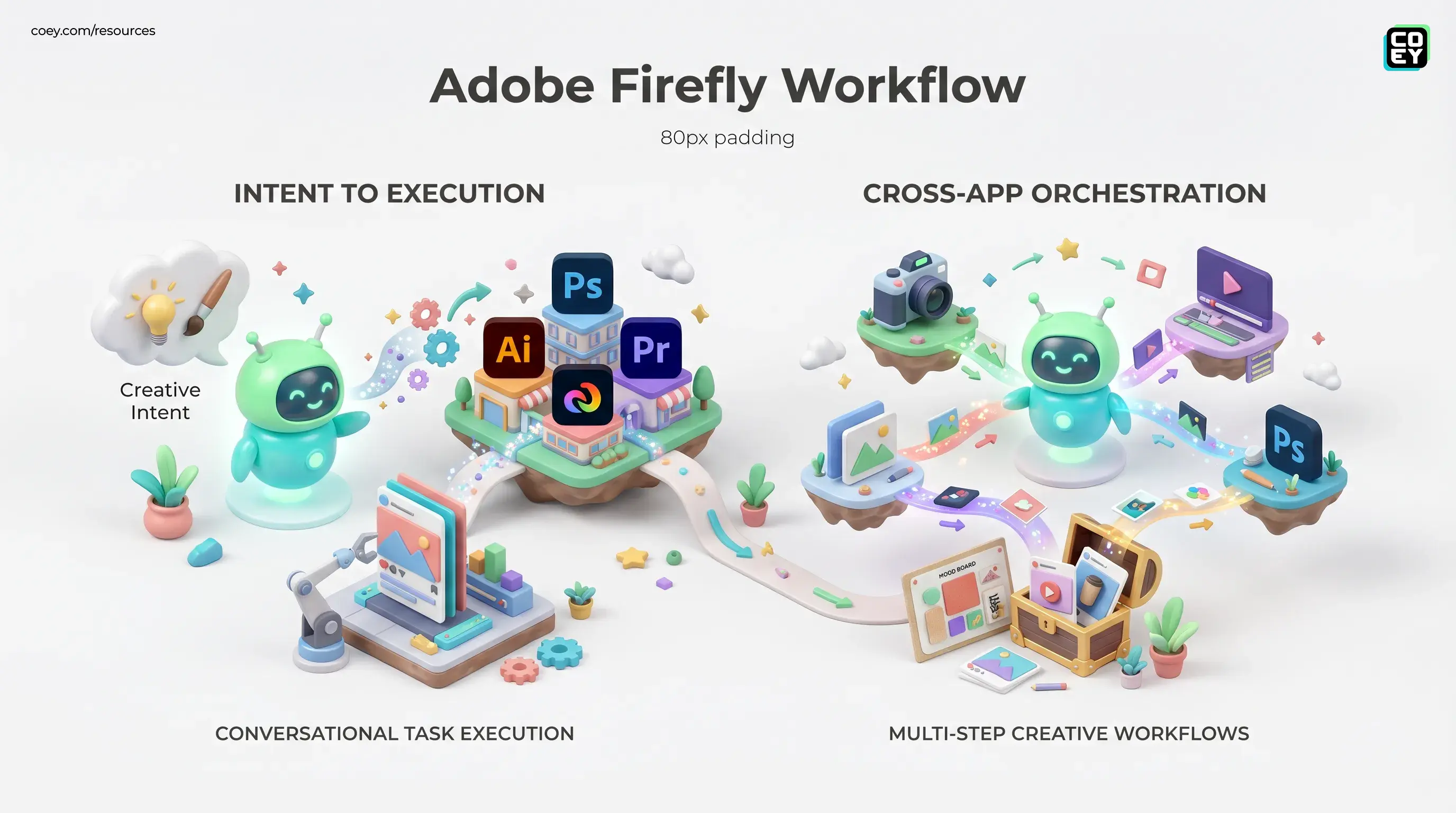
The big story is not that Adobe added chat. It’s that Adobe is trying to turn creative intent into executable workflow.
From prompts to production
Firefly started as a generation layer: type a prompt, get an image, variation, effect, or edit. The AI Assistant pushes beyond that by treating user input more like a job ticket than a one-off request. Adobe is positioning it as a creative agent interface that can understand what you want, determine which Creative Skills and Adobe tools are needed, and carry out a guided chain of actions across the stack.
That means a marketer could ask for campaign assets, a creator could request social content variations, or a team could apply a consistent treatment across multiple files without manually rebuilding the same sequence over and over. Adobe is also introducing prebuilt workflow units called Creative Skills, which function like reusable task modules for common operations.
This is where the announcement gets more interesting than the average AI launch deck. The assistant is not just surfacing a single feature faster. It is trying to compress the gap between briefing and execution.
What Adobe says it can handle
- Conversational task execution: natural-language requests instead of app-by-app manual commands.
- Cross-app orchestration: workflows that can span multiple Adobe creative environments from a single prompt.
- Creative Skills: reusable recipe-like actions for common production tasks.
- Batch-style output: support for common repetitive asset creation tasks such as social variations, mood boards, and mockups.
- Editable deliverables: Adobe says work remains editable in native formats throughout the process.
Why marketers should care
For executives and marketing leads, this is less about novelty and more about throughput. Most creative teams are not blocked by lack of ideas. They are blocked by the endless middle: versioning, formatting, resizing, cleanup, distribution prep, stakeholder revisions, and all the tiny production chores that quietly eat a week.
Firefly AI Assistant is aimed directly at that middle layer. If it works as advertised, it could reduce handoffs between design, social, motion, and content ops by letting teams trigger a first pass of production from one conversational interface. That is especially useful for high-volume environments like ecommerce, paid social, launch campaigns, franchise brands, and agency production teams juggling multiple deliverables at once.
In plain English: this is not replacing your creative director. It is trying to replace the soul-flattening batch labor that keeps your creative director trapped in resizing hell.
| Team | Likely gain | Watch-out |
|---|---|---|
| Marketing ops | Faster asset packaging and channel prep | Needs review process for brand compliance |
| Social teams | More variants from fewer source files | Output quality may still vary by task |
| Agencies | Lower production overhead across clients | Workflow fit depends on Adobe-heavy stack |
How “agentic” is it really?
Adobe’s broader messaging around the release leans into “creative agent” language, including in its newsroom coverage of a new era of agentic creativity. That framing is directionally fair, but worth translating. Firefly AI Assistant is not a fully open autonomous system wandering through your martech stack making business decisions on vibes. It is a guided assistant inside Adobe’s environment, built to execute supported creative tasks with the user still in charge.
That distinction is healthy. The strongest part of Adobe’s pitch is that outputs remain editable and reviewable. Human oversight is not a side note here. It is the product design. For brand-sensitive teams, that is a feature, not a limitation. Nobody serious wants a black-box ad factory shipping assets straight to market without review. That is not innovation. That is how you end up apologizing in Slack at 11:30 p.m.
Automation potential is real, but bounded
Here’s the workflow question COEY readers actually care about: Can you automate this beyond the Adobe interface? Right now, only partially.
The Firefly AI Assistant is available inside the Firefly app for eligible paid users, and Adobe has made clear that the assistant routes requests across its own tools. But there does not appear to be a standalone public API specifically for Firefly AI Assistant in beta. That means if you want to plug this exact conversational agent into n8n, Zapier, Make, or your internal orchestration layer, you are not getting a clean external connection yet.
That does not mean Adobe is closed overall. Adobe already has broader developer infrastructure through Firefly Services, which provides API access to parts of the Firefly stack, including Firefly API capabilities and other creative services. The issue is that the new assistant layer itself appears product-embedded for now.
If you want a broader view of how brand-safe automation layers are evolving around creative tools, COEY’s take on Brand DNA Engines is a useful framing for where this category is heading.
| Automation layer | Status now | Meaning for teams |
|---|---|---|
| In-product task automation | Available in public beta | Useful today for Adobe-native teams |
| External API for assistant | Not publicly available | Limited headless workflow automation |
| Broader Firefly APIs | Available separately | Some automation is possible, but not full assistant orchestration |
Real-world readiness
This is not just a concept video in a black turtleneck. Adobe has put the assistant into public beta globally for Creative Cloud Pro customers and users on paid Firefly plans including Firefly Pro, Pro Plus, and Premium. Adobe says eligible users receive daily generative credits for assistant usage during the beta. That makes it real enough to evaluate in live environments, especially for teams already standardized on Adobe.
The readiness question is less “can you try it?” and more “where does it fit?” Right now, Firefly AI Assistant looks best suited for:
- Adobe-centric organizations already deep in Photoshop, Premiere Pro, Express, Illustrator, Lightroom, and Firefly.
- High-volume asset teams that need repetitive production compressed into fewer steps.
- Creative ops leaders looking to reduce friction without ripping out the existing stack.
It is less ready for teams that need fully programmable, cross-vendor workflow automation outside Adobe’s walls. If your dream setup is “CRM trigger in, creative job out, approval route, CMS publish, paid sync, reporting loop back,” this beta is one piece of that machine, not the whole engine.
That said, Adobe’s direction is unmistakable. The company is moving from standalone generation tools toward intent-driven orchestration. That lines up with where creative operations are heading across the market: fewer manual steps, more AI-mediated production, more human review at strategic checkpoints. If Adobe eventually opens the assistant layer through APIs or developer hooks, this gets much more interesting very fast.
What this means next
Firefly AI Assistant is one of the stronger signals yet that creative software is becoming workflow software. Adobe is not just adding AI for sparkle. It is trying to make the creative stack act more like an execution system. For marketing teams, that could mean faster campaign production, cleaner handoffs, and more time spent on concepts instead of repetitive prep work.
The pragmatic take: the product is useful now if you live inside Adobe and want to accelerate production. The hype take would be calling it fully autonomous creative operations. We are not there. Not yet.
Still, this beta matters because it points to a more valuable future than one-off prompt toys. It points to software that understands intent, performs real work, and leaves humans in control of taste, judgment, and final decisions. That is the lane worth watching, because scaling creativity was never about replacing people. It was always about removing the grind so people can do more of the work only humans should.